
Built for people who love paper
Just snap a photo on iPhone to save and auto-transcribe. Bridge the freedom of paper with digital convenience.

You love writing, but it’s hard to find or share later. WriteScan fixes that.

Auto-transcribed as you shoot. Keyword and tag search bring back any page fast.
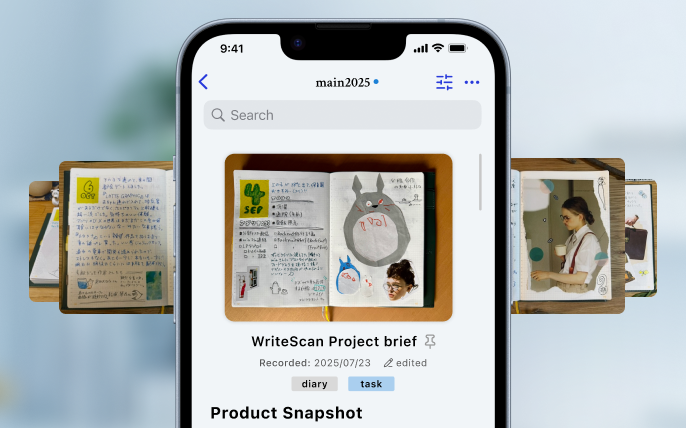
Saved per post with image + text together, so you can skim just like turning pages.

Bulk export Markdown, PDF, and images as a set. Take your handwritten notes anywhere.

Planners, notebooks, worksheets, sticky notes—anything works.

Open the camera and shoot. No need to worry about perfect angles.

Titles and headings are structured automatically. Saved as one post with image + text.

Keyword search, notebook organization, and export let you retrieve anything.
WriteScan for Mac is a desktop companion for iCloud-synced posts from the iPhone app and image-file reading on Mac. Keep daily capture on iPhone, then search, edit, organize, and export from a larger workspace.

Snap your daily planner and search “What was I doing this time last year?” by keyword.

Read study notes even when English and Japanese are mixed, then search class notes or language notes later.

Capture handwritten meeting notes and share them. Because it is Markdown, it stays neatly formatted when pasted into Notion or Slack.
Check out the latest tips and the story behind the product.
